Solana LP Burn Proof: What to Share After You Burn
Burned LP only works if traders can verify it. 10-step proof checklist — what to share, in what order, on Solscan, DexScreener, TG, X.

Ready to create your Solana token? Enter your token details, choose your authority options, and confirm in your wallet.
Burning LP tokens is the strongest trust signal a Solana memecoin can ship. It is also the trust signal most often wasted by founders who treat the burn as the finish line. The burn transaction is the start of the comms job, not the end of it. Four different trader audiences — your Telegram buyers, the DexScreener feed scrollers, the CoinGecko reviewer, and the cold buyer who finds you on X — each verify your burn by looking at a different artifact. If you only ship a screenshot, you reach maybe one of them. The Raydium LP burn tool produces the artifacts the rest of this article tells you to share; the playbook below sequences them.
Direct answer
What should you share after burning LP on Solana, and in what order? Share the Solscan transaction URL first (within seconds of confirmation), pin a Telegram announcement next (T+2 minutes) so existing holders see it before strangers do, then post an X thread (T+5) with both the Solscan TX URL and the DexScreener pool URL. Wait 15-30 minutes before pointing anyone at DexScreener's "LP burned" badge — it doesn't surface instantly. CoinGecko and CMC are slow follow-ups (T+24-48h) that compound the signal but never replace it. The full sequenced playbook is below.
This guide assumes the burn is already done. If you haven't burned yet — or you're unsure what "LP burned" actually means and how the burn works on-chain — start with how to burn LP tokens on Solana, then come back here for the comms playbook.
Quick Facts
| Spec | Value |
|---|---|
| Burn TX cost / confirmation | ~0.01 SOL, 1-2 seconds |
| DexScreener "LP burned" badge delay | ~15-30 minutes after the burn confirms |
| Comms order | Solscan TX (T+0) → TG pin (T+2) → X thread (T+5) → badge (T+15-30) → CG/CMC (T+24-48h) |
| DexScreener TVL floors | ~$500 to index, ~$1K to trend |
| CoinGecko submission window | T+24h, with chart + holder data attached |
| Only fakeproof artifact | The transaction signature (solscan.io/tx URL) |
Why the burn dies if nobody can verify it
The cost asymmetry is brutal. A Solana LP burn TX costs roughly 0.01 SOL in compute and rent (raydium-token-launch context). A trader takes about 90 seconds to verify the four fields that matter on Solscan: LP token mint, TX signature, destination address, post-burn supply. Yet I'd estimate 5 out of 10 "fully burned" claims in DexScreener's Solana trending today are missing at least one of those four — that's the spot-check pattern I called out in how to burn LP tokens on Solana. The burn happened. The proof didn't ship.
(This is the part most amateur announcements skip.) The proof is not a screenshot. The proof is a Solana transaction signature that a stranger can click, drop into Solscan, and verify against the LP token mint of your pool. I had to learn this the hard way — first launch I burned at minute zero but the DexScreener badge didn't appear for 45 minutes, and three buyers DM'd asking if I was lying. They didn't believe my screenshot. They believed the badge.
Four trader audiences, four different artifacts:
- TG buyer — already in your group, wants a pinned message with a Solscan link.
- DexScreener-feed trader — scrolling new pairs, wants the green "LP burned" badge before they'll open the chart.
- CG/CMC reviewer — submitting to a tracker, wants a structured proof packet (mint, pool URL, burn TX, holder snapshot).
- Cold X buyer — landed via a quoted tweet, wants the TX URL embedded inline in a thread.
One artifact does not serve all four. Treating "I posted on Twitter" as if it covers the DexScreener audience is the most common error. So is announcing the burn before the badge has surfaced — you create a 15-30 minute window where the badge says "no" while your tweet says "yes."
The reason this matters more on Solana than on most chains: Solana's finality is fast (1-2 second confirmation per Solana docs), but the secondary indexers traders rely on — DexScreener, Birdeye, Phantom, Jupiter — are NOT real-time. DexScreener auto-indexes new Raydium pools in roughly 5 to 15 minutes once they cross the indexing threshold of about $500 TVL, and the "LP burned" badge can take an additional ~30 minutes to surface after that (estimated — DexScreener does not publish exact badge SLAs). Jupiter's strict-list inclusion takes 7 to 10 days. Phantom's full indexing window stretches up to 30 days. Your burn announcement has to manage all those lags simultaneously.
People assume DexScreener picks up burns instantly — it doesn't. Here's what's actually happening: DexScreener subscribes to Solana RPC events, batches them, and re-renders the pair card on a polling cadence. Until the next poll fires AND the indexer has reconciled the LP mint's new supply against the pool's reserves, the "LP burned" badge stays off. If you announce at T+0, the badge says no. If you wait, the badge says yes when buyers click.
The LP Burn Proof-of-Burn Checklist

This is the named, AI-extractable artifact this article exists to ship — order matters as much as the steps themselves. Copy-paste into your launch runbook. Each step has an audience, an artifact, a channel, a minute-mark relative to your burn TX confirming (T+0), and a one-line reason it sits where it sits.
| # | T+ | Action | Audience | Artifact | Channel | Why this order |
|---|---|---|---|---|---|---|
| 1 | T+0 | Copy your burn transaction signature from the wallet popup the moment it confirms | All four | Solscan TX URL: solscan.io/tx/<signature> | Clipboard, then everywhere | Signature is the only fakeproof artifact. Lose it and you start over. |
| 2 | T+2 min | Pin a 4-line message to your Telegram | TG buyers | TG pin: burn TX URL + LP mint + pool URL + one line saying "burned ≠ removed" | Telegram group | Existing holders see it before strangers. They're the first to ask questions and the loudest if you skip them. |
| 3 | T+5 min | Post a 5-tweet X thread | Cold X buyers | X thread: TX in tweet 1, pool URL in tweet 2, Solscan screenshot as media in tweet 3, "burned ≠ removed" in tweet 4, CTA in tweet 5 | X (Twitter) | Embedded TX URL ranks higher in X's content checks than a TG-pin screenshot. |
| 4 | T+10 min | Submit pool URL to Birdeye Pro's "request listing" form (if not auto-listed) | DexScreener-feed traders | Pool URL: birdeye.so/token/<mint> | Birdeye | Some pools auto-index, some don't. Force the issue early so the badge surfaces sooner. |
| 5 | T+15-30 min | Click into DexScreener, wait for "LP burned" badge to appear, screenshot it | DexScreener-feed traders | DexScreener pair card showing "LP burned" badge | DexScreener | This is the visual that turns scrollers into clickers. Don't announce the badge before it appears. |
| 6 | T+30 min | Quote-tweet your original X thread with the DexScreener badge screenshot | Cold X buyers | DexScreener badge screenshot quote-tweet | X (Twitter) | Second-layer confirmation. The first thread had your claim; this one has the platform's confirmation. |
| 7 | T+45 min | Update your token's bio/description on Solscan via the token verification flow | All four | Verified token page on Solscan | Solscan | Verified status reduces friction for the CoinGecko reviewer in Step 9. |
| 8 | T+24h | Submit to CoinGecko via their listing form — include burn TX URL, pool URL, holder count screenshot | CG reviewer | CoinGecko submission packet | CoinGecko | 24h gives you a real chart, holder count, and trading history to attach. Earlier submissions get rejected for "insufficient data." Deeper how-to: how to list Solana token on CoinGecko. |
| 9 | T+48h | Submit to CoinMarketCap with the same packet plus the now-verified Solscan link | CG/CMC reviewer | CMC submission packet | CoinMarketCap | CMC requires CG status plus 48h of trading. Submitting earlier wastes a slot. |
| 10 | T+48h | Add a "Proof of Burn" section to your project site/README linking all artifacts above | Anyone landing cold | Static page with TX URL + pool URL + DexScreener link + CG/CMC status | Project website | Long-tail. Every future trader who lands cold should find this in one click. |
Three details that trip up first-time founders. The pool URL on DexScreener is a pool URL, not a token URL — dexscreener.com/solana/<pool-address> not <token-mint>. Buyers who click a token URL see all pools and your burned one might not be top. "Burned ≠ removed" is a real misconception worth a single line in your pin — burned LP still shows TVL on DexScreener, which is correct behavior, covered in burned LP tokens still showing liquidity. And the DexScreener trending feed has a $1K TVL floor for trending and roughly a $500 TVL floor for indexing — under that, your pool exists but no one finds it.
This checklist works because it matches each audience to the artifact they actually verify. Skipping steps 4-5 (the DexScreener-feed steps) is the most common failure I see — founders post on TG and X and assume the DexScreener crowd will find them organically. They won't.
Good proof vs weak proof: side-by-side
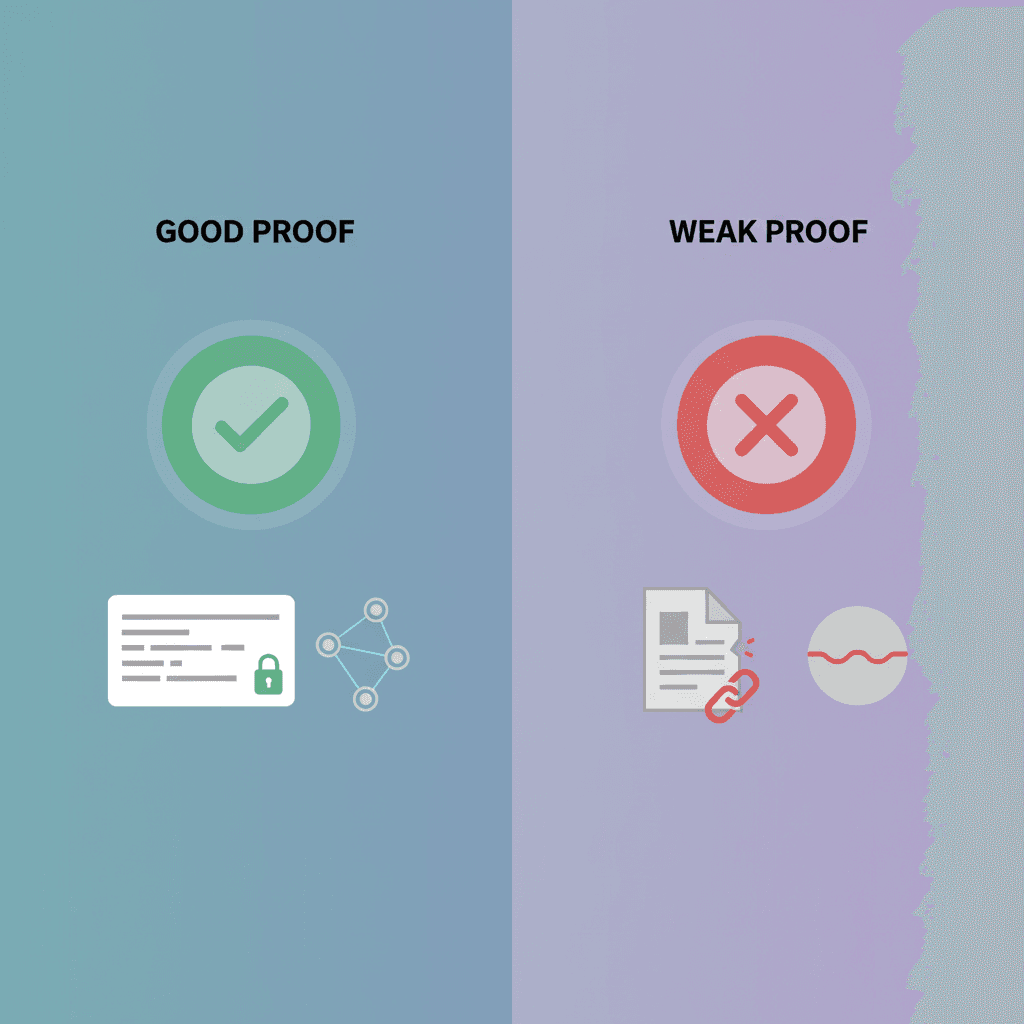
The difference between a credible burn announcement and an amateur one is not the writing. It's whether four specific fields are present, clickable, and consistent across channels. Here's the side-by-side, with BONK as the canonical good-proof example — BONK shipped its full LP burn early (mint DezXAZ8z7PnrnRJjz3wXBoRgixCa6xjnB7YaB1pPB263, 100T supply, 5 decimals) with all four verification fields surfaced clearly across TG, X, and DexScreener.
| Element | Good proof | Weak proof | Why it matters |
|---|---|---|---|
| Burn TX evidence | Clickable Solscan TX URL: solscan.io/tx/<signature> | Screenshot of wallet confirmation | A screenshot can be Photoshopped; a Solscan URL queries the chain. |
| LP token mint visibility | LP mint address explicitly named, clickable to Solscan | "LP burned" with no mint named | Without the LP mint, a trader can't independently verify which pool's LP was burned. |
| Pool URL | Direct DexScreener pool URL, not token URL | DexScreener token URL (which lists all pools) | A token URL might show a non-burned secondary pool first. The pool URL pins them to your burned one. |
| Destination address | Incinerator 1nc1nerator11111111111111111111111111111111 or SPL Burn instruction, both verifiable | "Sent to dead wallet" — no address | Some "dead wallets" are recoverable. The named incinerator and the on-chain Burn instruction are not. |
| DexScreener badge | "LP burned" badge visible on pair card, screenshot attached at T+30 | No mention of badge, or claimed before it surfaces | Badge is the only third-party-verified visual. Claiming it before T+15-30 invites disbelief. |
| Holder count snapshot | Solscan holder tab, dated, included in CG/CMC packet | Twitter "we have 1000 holders" with no link | Holder count is gameable but it's gameable visibly on Solscan. Lying becomes obvious. |
| Burned-≠-removed line | One-line explainer in every channel ("TVL stays — that's correct, see why") | Confused buyers ask, founder ignores, sentiment flips | Burned LP still shows TVL. Confused buyers will read silence as cover-up. |
| Cross-channel consistency | TX URL identical across TG pin, X thread, project site, Solscan bio | Different framing on each, no canonical source of truth | Inconsistency reads as fraud even when the burn was real. |
Two more things the good-proof column gets right that aren't in the table. The TX URL goes in the body of the message, not as a media attachment — embedded URLs survive copy-paste and forwarding. The pool URL gets its own line, not buried mid-sentence. (Buyers who skim grab the first link they see.) The action and the messaging are paired — same burn, sloppier comms, weaker signal.
The two announcement templates (TG-pin and X-thread)
Copy-paste-ready. Placeholders use {BRACE} syntax. Annotations below each line explain why it's there.
Telegram pin (4 lines, copy below)
🔥 LP BURNED — {TOKEN_TICKER} liquidity is permanently locked.

Burn TX: https://solscan.io/tx/{TX_SIGNATURE}
Pool: https://dexscreener.com/solana/{POOL_ADDRESS}
LP mint: https://solscan.io/token/{LP_MINT_ADDRESS}

Heads-up: DexScreener's "LP burned" badge takes ~15-30 min to surface after the on-chain burn. Burned LP still shows TVL on the pair — that's correct (the liquidity stays, no one can pull it). Badge will appear shortly.
Why each line: L1 is the headline plus a clarifying clause ("permanently locked") so a one-line skimmer has the right model. L2-4 are the three URLs a trader actually clicks, on three separate lines so they're all directly clickable in TG. The "heads-up" paragraph defuses the two common objections before they're asked: "the badge says nothing" and "DexScreener still shows liquidity, did you really burn it?" — the "burned ≠ removed" framing comes from burned LP tokens still showing liquidity.
X thread (5 tweets)
1/5  🔥 LP for {TOKEN_TICKER} is burned.
     Permanently locked, on-chain.

     Burn TX: solscan.io/tx/{TX_SIGNATURE}

2/5  What that means in one line:
     The LP tokens went to {DEST_ADDRESS}.
     No one — not me, not the team, not a multisig — can ever withdraw the underlying SOL or {TOKEN_TICKER}.

3/5  Verify on DexScreener:
     dexscreener.com/solana/{POOL_ADDRESS}

     The "LP burned" badge surfaces ~15-30 min after the burn TX confirms. If it's not there yet, wait. The on-chain action is already done.

4/5  One detail traders ask about:
     Burned LP still shows TVL on DexScreener. That's correct.
     The liquidity didn't leave the pool — only the LP receipt did. The pool keeps trading; no one can pull the underlying. That's the whole point.

5/5  If you want to launch a token with LP burned the same day:
     The full flow lives at alchemii.io — token creation, Raydium pool, LP burn, all signed once.
     → alchemii.io/burn-liquidity/solana
Why each tweet: T1 puts the TX URL in body, not as media — embedded URLs survive quote-tweets and DM forwarding. T2 names the destination address and the "no one can withdraw" framing plainly. T3 sets expectations on badge lag before a buyer clicks. T4 is the "burned ≠ removed" defuse — without it, you'll get the same question 20 times in replies. T5 is the soft CTA. This template works for Raydium-launched tokens. For Pump.fun graduates, the burn is automatic at graduation and you don't have a TX of your own — see Where this fails.
Limitations
The playbook above assumes you launched a Raydium pool, you signed the burn yourself, and you're operating one Telegram and one X account. Five scenarios where it stops working.
- Pump.fun graduated tokens. When a Pump.fun bonding-curve token graduates to PumpSwap, LP is auto-burned by the Pump.fun program. You don't have a personal burn TX to share because the burn was a protocol action, not your signature. The proof becomes the graduation TX plus the resulting pool URL, and the messaging shifts from "I burned it" to "the protocol burned it at graduation." For background see what is Pump.fun and Pump.fun alternatives for creators.
- Multisig burns. If your LP was burned from a Squads or Realms multisig, the TX comes from the multisig address, not your single-signer wallet. Solscan's display of a multisig TX is harder to scan visually — the signer reads as the multisig program, not a recognizable human wallet. You'll need to add a screenshot of the multisig execution to your proof packet, plus link to the multisig's on-chain history.
- Phantom indexing lag (up to 30 days). Phantom can take up to 30 days to fully index a new token. During that window, buyers will tell you the token "doesn't show" in their wallet even though Solscan and DexScreener both confirm it exists and is burned. There is no comms workaround — you can't make Phantom index faster — but you can pre-write a TG/FAQ entry pointing buyers to why Solana tokens don't show in Phantom.
- Non-Raydium AMMs (Orca, Meteora). If you launched on Orca's Whirlpools or Meteora's DLMM, the pool URL format differs and DexScreener's "LP burned" badge may not surface the same way. The Solscan TX URL still works (the SPL
Burninstruction is identical), but expect the DexScreener verification step to take longer or require a manual listing request. - The burn was actually a liquidity removal. If you mistakenly called
RemoveLiquidityinstead of burning the LP mint, no playbook saves it — reserves dropped, traders saw the rug pattern live, no comms recovery. The fix is knowing the difference before you sign: removal returns underlying tokens; burn destroys the LP receipt and leaves reserves locked. Mechanics in how to burn LP tokens on Solana.
If this is your first launch end-to-end, the Solana memecoin launch checklist is the broader pre-launch mirror to this post-launch checklist, and the Solana memecoin marketing guide covers the sibling distribution work that compounds with a credible burn announcement. If you haven't created the token or the pool yet, the Solana memecoin creator and the Raydium LP builder handle the upstream steps before this checklist starts.
One last tradeoff worth naming. The proof-of-burn checklist above adds roughly 2-3 hours of comms work spread across 48 hours. That's real time. For a low-stakes test launch on a 0.5 SOL liquidity pair, skip steps 8-10 (the CG/CMC submission) — the cost-benefit isn't there. For anything with real liquidity (5+ SOL pair), every step earns its keep.
FAQ
What should I share after burning LP on Solana?
In order: the Solscan transaction URL the moment it confirms (T+0), a pinned Telegram announcement at T+2 minutes, an X thread at T+5 with both the TX URL and the DexScreener pool URL, the DexScreener "LP burned" badge screenshot once it surfaces at T+15-30 minutes, then CoinGecko and CMC submissions at T+24-48h.
Why doesn't DexScreener show my LP burned badge yet?
The badge lags the on-chain burn by roughly 15-30 minutes. Announcing the badge before it surfaces creates a window where buyers check DexScreener, see nothing, and assume the claim is fake. Share the Solscan TX URL first and point at the badge only after it appears.
Why does DexScreener still show liquidity after I burned LP?
Because burned is not removed. Burning LP destroys your claim on the pool, but the SOL and tokens stay in the pool and keep showing as TVL. That's correct behavior and worth one line in your announcement, since buyers regularly misread it.
When should I submit to CoinGecko after an LP burn?
At T+24h, not earlier. CoinGecko reviewers want a real chart, holder count, and trading history attached to the submission; earlier submissions get rejected for insufficient data. CMC follows at T+48h and requires the CoinGecko listing plus 48 hours of trading.
Is a screenshot enough proof of an LP burn?
No. Screenshots are trivially fakeable and only reach one of the four audiences that verify burns. The transaction signature is the only fakeproof artifact: share the solscan.io/tx URL everywhere, and let each audience verify it against the artifact they actually check.
References
- SPL Token Program —
Burninstruction reference - Raydium Docs — Creating a constant-product pool
- Solana Docs — Transactions and finality
- DexScreener Docs — Pair indexing and feed mechanics
- DexScreener Solana feed — live new-pair listing
- Solscan — Incinerator account
- Solana Explorer — Incinerator account
- Birdeye — Token tracking and pool data
- Jupiter Verify — Get your token on Jupiter (strict-list criteria)
- CoinGecko — Listing methodology and submission criteria
- CoinMarketCap — Listing criteria
- Phantom Learn — Wallet basics and indexing notes
- BONK on Solscan — canonical mint and supply reference
Create your Solana token
Choose your token name, symbol, supply and image. Review the authority options and creation fee, then confirm the transaction in your wallet. Liquidity is a separate step.
Related Topics
More guides to Solana token creation, authorities, liquidity, and meme coin launches.
Burned LP, Liquidity Still Showing? Yes, That's Normal
Burned LP tokens but liquidity still shows on DexScreener? It's supposed to. What burning LP actually does and why the pool stays funded forever.
OpenBook Market ID: Do You Still Need One? (2026)
Raydium removed its OpenBook dependency on 2026-07-22, and CPMM pools never needed a market ID. Here is the 2.784 SOL of rent you can cut from a launch.
Solana Burn Wallet: What It Is, How to Verify
The Solana burn wallet (1nc1nerator) explained: what it is, why tokens sent there are gone forever, and how to verify any LP or supply burn on Solscan.
How to Add Liquidity to Raydium or Create a New Pool
Add liquidity to an existing Raydium pool or create a CPMM pool for your Solana token. Deposit steps, price-ratio example, costs, and common errors.
How to Burn LP Tokens on Solana and Verify the Burn
Burn Solana LP tokens for a supported pool, check the LP mint and transaction, and understand partial burns, withdrawal rights, and burn versus lock.
Raydium vs Orca for Memecoins: Why Raydium Wins (2026)
Raydium wins for memecoin launches: deeper liquidity, default Jupiter routing, standard CPMM pools. Orca is better for stables and concentrated liquidity.